Register an identity provider
Procedure
To register the identity provider, do the following:
- Go to the portal registration page at https://<server.domain.name>/#/registration/portal (example link).
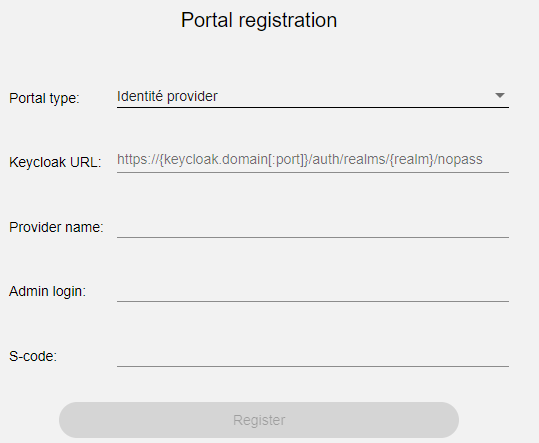
- On the Portal registration page, set the following parameters and click Register:
- From the Portal type list, select Identity provider.
- In the Keycloak URL field, enter the URL of the Keycloak server.
- In the Provider name field, enter the name of the identity provider.
- In the Admin login field, enter the login, which is allowed to the Admin console.
- In the S-code field, enter the secret key necessary for the Identité® administrator to register Keycloak.
Now your identity provider is registered.
next topic: Configure service providers with Keycloak
previous topic: Prerequisites