Keycloak + NoPass™ will be used for your Google workspace instead of the standard Google Cloud identity provider. This integration will affect all workspace users except for the Owner.
STEP 1. SET UP SINGLE SIGN-ON BETWEEN KEYCLOAK AND GOOGLE WORKSPACE
For the detailed guide, see Google Cloud Architecture Center: Keycloak single sign-on.
STEP 2. ENABLE NOPASS AUTHENTICATION FLOW
After you have set up the connection, do the following:
- In the Keycloak administration console, open the Google client.
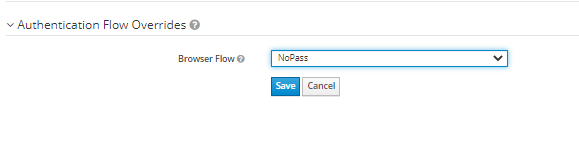
- Click Authentication Flow Overrides. From the Browser Flow list, select NoPass, and then click Save.
Now your Google workspace is protected with NoPass™.